Free · runs in your browser
Design a home office that fits the way you work
Start from a mid-century home office template or draw your own room, then arrange a desk, shelving and task lighting to scale. Arcvelle Studio shows the room in 3D so you can judge sightlines and the space behind your chair before buying anything.
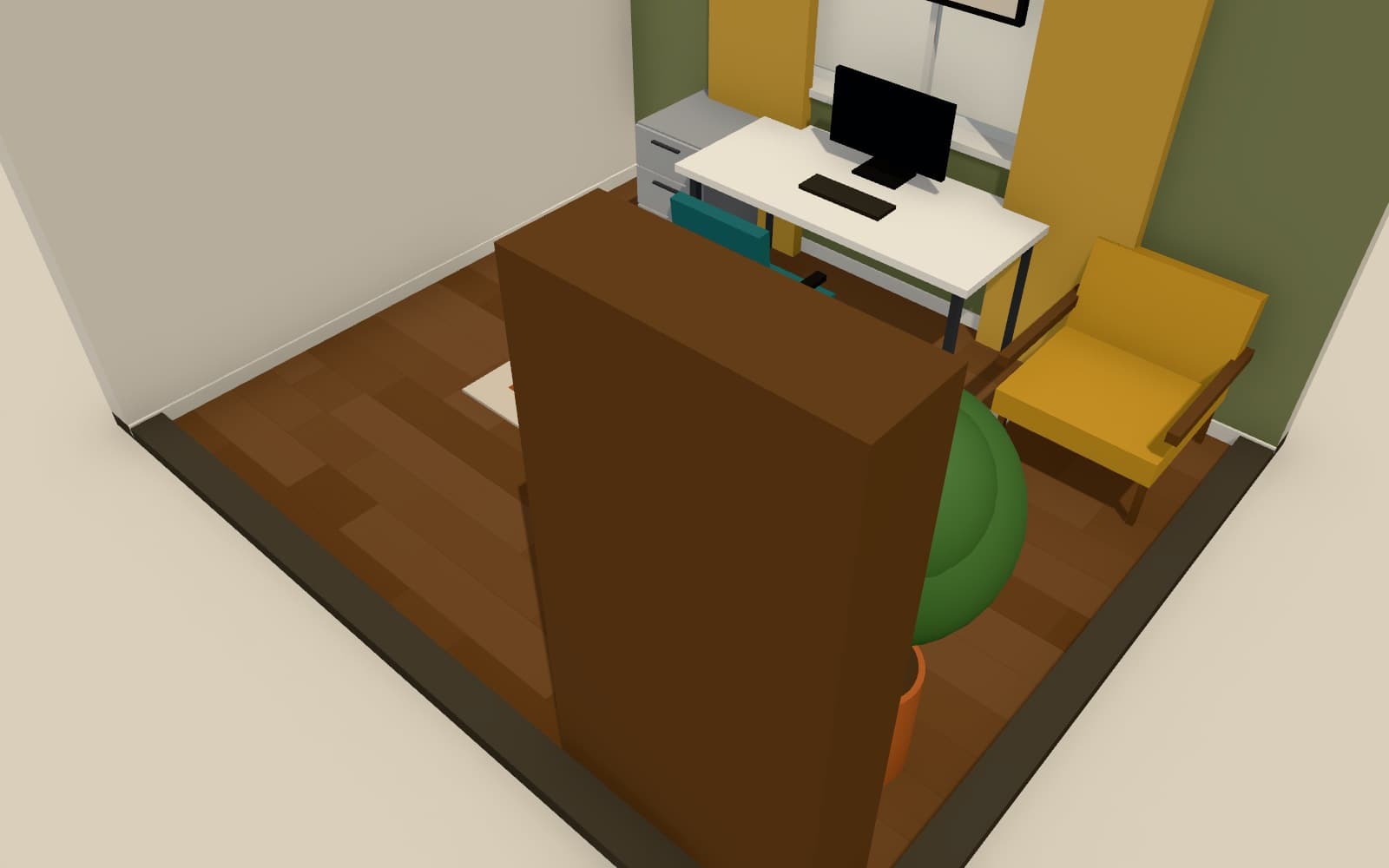
How do I design a home office layout online?
Draw the room in Arcvelle Studio or open the mid-century home office template, then place a desk, chair, storage and lamps from the office and lighting categories. Resize each piece to its real dimensions, check the clearance behind the chair, and switch to 3D to view the desk under midday sun or evening lamplight.
What it does
Features
Office furniture to scale
Choose from the office, lighting and decor categories, then resize any model to the exact width, depth and height of the piece you own or plan to buy.
Clearances you can see
Live dimensions and collision highlighting show when a chair would hit a bookcase. Leave at least 900 mm (36 in) behind a desk so the chair can pull out comfortably.
Lighting presets for the working day
Compare midday sun, soft overcast and evening with lamps on to judge whether the desk needs a task lamp or a different position in the room.
A backdrop for video calls
Paint the wall behind the desk in any custom colour or add timber slats or wainscot panelling, then look at it from the chair in first-person walk mode.
A furnished template to adapt
The mid-century home office template is a complete room you can open, change and keep as your own project instead of starting from an empty plan.
How to
How to use the design a home office that fits the way you work
Step 1: Set up the room
Open the template or draw walls with exact lengths, then add the door and window with the correct hinge side and swing.
Step 2: Furnish and measure
Place the desk, chair and storage, resize them, and use the dimensions to check the gaps between furniture and walls.
Step 3: Check it in 3D
Orbit or walk through the room, switch lighting presets and adjust finishes until the workspace feels right.
Step-by-step guide: Smart Layout
Use cases
Who it is for
Spare bedroom conversion
Test whether a guest bed and a desk can share one small room, and where each should sit relative to the window.
A corner of the living room
Find a corner that takes a compact desk without blocking the routes people use to cross the room.
Two people working from home
Lay out two workstations in one room and confirm that both chairs can move freely without colliding.
Questions
Frequently asked questions
How big should a home office desk be?
Common desk widths run from about 1,000 mm (40 in) for a laptop to 1,600 mm (63 in) for two monitors, with depths of 600–800 mm (24–32 in) and a height of around 720–760 mm (28–30 in). Resize the desk model in Arcvelle Studio to these sizes to see which fits your room.
Is the home office planner free?
Yes. Arcvelle Studio is free to use today and you do not need to create an account. Open it in a desktop or tablet browser and start drawing straight away.
Can I plan a home office on a tablet?
Yes. Arcvelle Studio is designed for desktop and tablet browsers and supports touch pinch-zoom on the plan. There is no separate mobile app to install.
Where is my office plan saved?
Your project is stored in your browser's local storage on the device you used. It is not uploaded or synced anywhere. Export the JSON project file if you want a backup copy outside the browser.
How much light does a home office need?
Office lighting guidance commonly recommends around 500 lux on the desk for reading and screen work, from a mix of daylight, ceiling light and a task lamp. Arcvelle Studio previews lighting moods rather than measuring lux, so use it to judge lamp placement, not light levels.
Start designing in your browser
Arcvelle Studio is free and needs no account. Your projects stay in this browser.